
I was putting together a PowerPoint presentation a few weeks ago and I wanted to embed a video in one of the slides. Simple enough, except PowerPoint told me the file had to be 20 megabytes or less. Mine was almost 230 megabytes, and it was in MOV format instead of MP4.
Ten years ago that’s a phone call to somebody. Five years ago that’s downloading a video converter, dodging the three “download now” buttons that are actually ads, installing it, and then discovering the free version puts a watermark across the middle of your video.
Here’s what I actually did. I gave the file to Claude and typed one sentence: make this 20 megabytes or less. It converted it to MP4 and handed it back at 19.9 megabytes. I watched the whole thing looking for the tell, the blocky spots or the muddy motion that says “this got squeezed.” I couldn’t find it. It looked great.
That’s when it clicked for me. I’ve been paying attention to what these tools can do for a few years now, and I still catch myself reaching for the old way of doing things out of habit. So I started making a list of jobs I used to pay for, or used to avoid entirely, that are now just a sentence and a file upload.
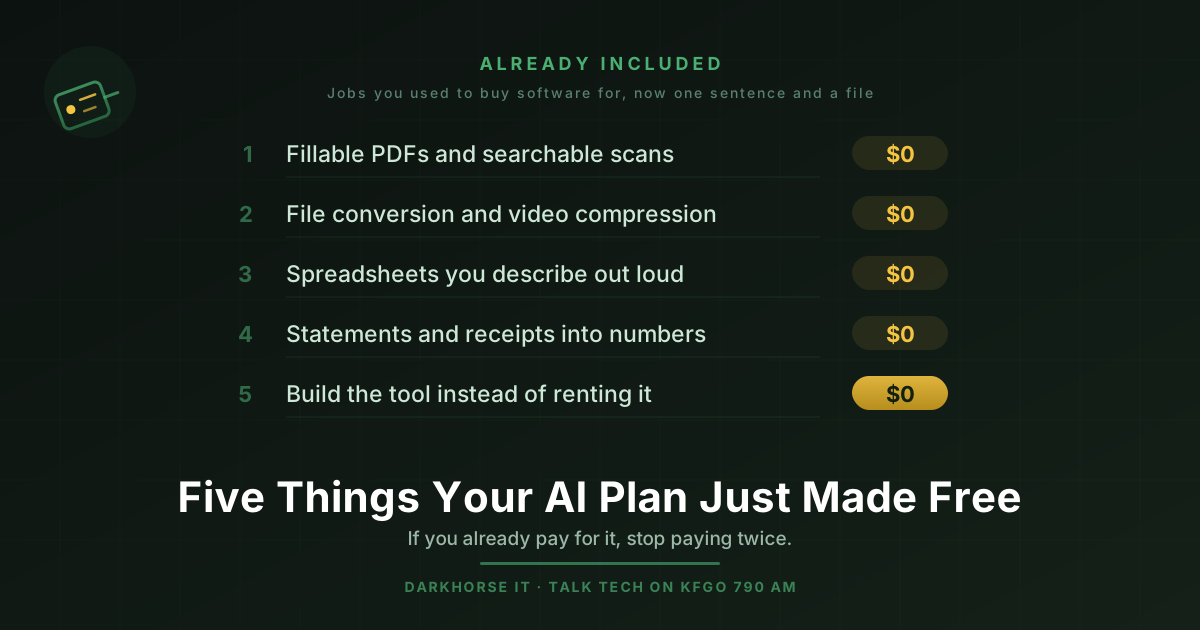
Here are the five that surprised me most.
1. Fillable PDFs and searchable scans
If you pay for Adobe Acrobat, this is the one to pay attention to. A full Acrobat subscription runs around $20 a month per person, and for a lot of small businesses the only reason they have it is to do two things.
The first is making forms people can actually fill out on a computer and save. Not print, fill out with a pen, scan, and email back. An actual form with fields that hold text. You can describe the form you need, or hand over the paper version you’ve been photocopying for eleven years, and get back a real fillable PDF.
The second is OCR, which is the process that turns a scanned image of a page into text you can search, select, and copy. If you have a filing cabinet full of paper, or a folder of scans where searching for a client’s name turns up nothing, this is the fix. Standalone OCR software has historically cost over a hundred dollars.
Merging, splitting, rotating, watermarking, password protecting, and converting to Word or Excel are all in the same bucket. None of it needs a subscription anymore.
2. File conversion and video compression
This is my PowerPoint story, and it turns out it applies to a lot more than presentations.
Videos that are too big to email. Audio pulled out of a video file so you can use it in a podcast. A HEIC photo from an iPhone that your accountant’s software refuses to open. A batch of images that all need to be resized to the same dimensions for a website. A logo somebody sent you at postage stamp size that needs to be big enough for a banner.
Every one of those used to be either a piece of software you had to find and trust, or an upload to one of those free conversion websites where you’re never entirely sure where your file just went. Now it’s a sentence.
3. Spreadsheets you describe out loud
I’ll be honest with you. Spreadsheets have never been my strong suit. I can find my way around one, but the moment formulas start referencing other sheets and I need a lookup inside a conditional, I’m guessing and checking until it stops throwing errors.
That has completely stopped being a problem. I describe the spreadsheet I want, including the calculations and how I want it to behave, and I get it. Not a template I have to adapt. The actual thing.
The version of this that people don’t think about is going the other direction. You can drag in a spreadsheet you already have, the ugly one that somebody built in 2019 and everybody’s afraid to touch, and ask for the formulas to be fixed, the formatting cleaned up, and a summary page added on the front. Excel consultants charge real money for exactly that job.
4. Statements and receipts into usable numbers
This is the one nobody sees coming, and it’s my favorite.
You have bank statements or credit card statements as PDFs. You need them as a spreadsheet, because your bookkeeper needs them as a spreadsheet, or because you want to actually look at where the money went last quarter. Historically the options were paying for a conversion tool, paying somebody hourly to retype it, or squinting at the screen and doing it yourself on a Saturday.
Hand over the PDF. Get back a clean, categorized spreadsheet.
Same idea with receipts. Photograph the pile in your truck’s console and get back an itemized expense report with totals by category. Expense tracking apps charge somewhere between five and eighteen dollars per person per month for that, forever.
5. Build the tool instead of renting the software
Here’s the one I’d most like people to sit with for a minute.
An enormous amount of small business software does exactly one thing. A quote calculator. A mileage log. A job tracker. A client onboarding checklist. An equipment inventory. And you pay twenty, thirty, fifty dollars a month for it, every month, for as long as your business exists, because building it yourself was never realistic.
It’s realistic now. Describe what you need it to do and you can have a working tool, one that runs in a browser, that does that one job and never sends you an invoice. It won’t have the polish of commercial software and it won’t do things you didn’t ask for. That’s frequently the point.
A few honorable mentions
Diagrams and flowcharts, which replace software running about $15 a month per person. Subtitles and captions for your videos, which captioning services charge roughly a dollar and a half per minute to produce. Photo repair, object removal, and colorizing old pictures. Translating a flyer into another language, which normally runs ten to twenty five cents per word. Print ready layout for handbooks, workbooks, and one pagers. First drafts of policy documents, where template sites charge a hundred dollars and up per document.
One important caveat
Some of what I’ve described here, especially the file conversion and the PDF work, isn’t the AI being clever with words. It’s the AI writing and running actual code behind the scenes on your file. That means it depends on which tool you’re using and which plan you’re on, not on how smart the model is.
Claude does this. ChatGPT does this. A lot of the AI chat apps on your phone do not, and neither do most of the free tiers. If you try one of these on the wrong tool and it fails, the tool was the problem, not the idea.
The actual point
My challenge to you is smaller than it sounds. Think of one thing you’ve been avoiding because it seemed like it needed software you don’t have, or a skill you never picked up, or a person you’d have to pay. Just one.
Then go try it. The worst outcome is you spend four minutes finding out it doesn’t work yet.
That’s a pretty good trade.
If you would rather not sort through it on your own, or you want to work out which of these actually fit your business, that is exactly the kind of thing we do. Reach out to DarkHorse IT any time, and if you want the hands on version we teach a tiered AI class series that starts at absolute beginner and works up from there.
We talk through this kind of thing every week. Join us Thursdays at 7:40 AM on KFGO 790 AM.