 DarkHorse IT
Old Software Habits That Need to Die
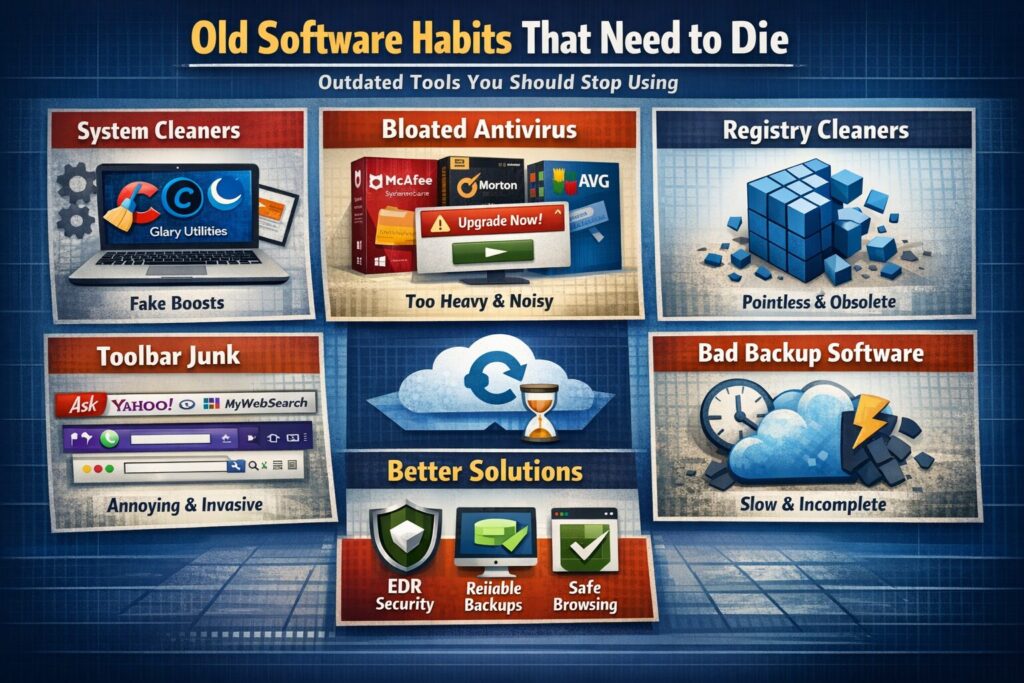
Tools We All Used Then, and Why You Should Stop Using Them Now
During this week’s Thursday morning KFGO tech segment, we talked about something that comes up more often than you might think. Old software habits that just refuse to go away.
A lot of tools that used to be part of every tech’s toolkit are either unnecessary now, watered down, or in some cases doing more harm than good. If your computer feels slow or cluttered, the answer usually is not another “optimizer” or paid antivirus popup.
Let’s walk through the big categories that have fallen out of favor, why they no longer make sense, and what to do instead.
1. “System cleaners” and optimizers
The biggest fall from grace
These were everywhere years ago.
CCleaner
Then it was lightweight, helpful, and actually useful.
Now it is owned by a large security conglomerate, bundles extra components, runs background services, and collects telemetry. It also suffered a real supply chain malware breach in 2017.
Today’s reality:
- Windows already handles temp files and disk cleanup
- Registry cleaning is pointless and sometimes harmful
- Free versions push upgrades and notifications
Modern verdict: Not malicious today, but unnecessary and noisy.
Other “optimizer” tools to avoid
- Advanced SystemCare
- Glary Utilities
- Ashampoo Optimizer
- IObit tools in general
They all promise performance boosts, rely on registry cleaning, run constantly in the background, and aggressively upsell.
Modern verdict: Mostly placebo. Some drift into scareware territory.
2. Registry cleaners
This entire category is dead
Back in the Windows XP and Vista days, registry bloat mattered. Systems had slow hard drives and very limited RAM, so every little bit counted.
That is no longer true.
Today:
- Registry size has no real performance impact
- Windows safely ignores unused keys
- Cleaning the registry provides no measurable benefit
Any software whose main selling point is registry cleaning is obsolete. Full stop.
3. Antivirus software that lost trust or relevance
Avast and AVG
Once great free antivirus options. Today they are heavy, noisy, and were caught selling anonymized browsing data.
Not evil, but:
- Too many popups
- Heavy background usage
- Worse experience than built-in protection
McAfee, Norton, Trend Micro, Webroot
These used to be industry standards. Now they are bloated, expensive, and often come preinstalled just to nag users into subscriptions.
They are not malware, but:
- Terrible user experience
- Subscription traps
- Little benefit over built-in protection
Plain truth: Windows Defender is better integrated and more effective for most people than paying for traditional antivirus software.
If you are going to pay for security, it should be EDR, not legacy antivirus. At DarkHorse IT, we deploy and manage SentinelOne, which is designed to detect unknown threats, not just known signatures.
Traditional antivirus looks for yesterday’s threats. Modern attacks are unknown and behavior-based. Compared to EDR, legacy antivirus is basically a dinosaur.
4. Backup software that has fallen out of favor
This one is important.
We recently received a call from someone using Carbonite. The restore took over two days, and that was just file recovery.
Here is the bigger problem:
- It did not back up the full system
- No operating system image
- No applications included
If that computer had died, they would have needed to:
- Reinstall Windows
- Reinstall every application
- Then download their files
That is not a real recovery plan.
A modern backup should give you options:
- Restore individual files
- Restore an entire system to the same device
- Restore to a new device
- Spin up a virtual machine in the cloud so you can keep working
Hybrid backups are even better. A local backup synced to the cloud allows for immediate recovery without waiting days to download data.
At DarkHorse IT, we provide backup solutions for both residential and business clients that are designed for real-world recovery, not just file storage.
5. Browser toolbars and sketchy extensions
The original malware problem
If you have been using computers long enough, you remember these:
- Ask Toolbar
- Yahoo Toolbar
- Google Toolbar
- Babylon
- Conduit
- MyWebSearch
They trained an entire generation to accept homepage hijacking, search redirection, and data collection.
While most of those are gone, the modern version still exists:
- Random coupon extensions
- Free PDF converters
- AI summarizers you did not intentionally install
If a browser extension:
- Changes your search engine
- Injects ads
- Promises magic productivity boosts
It probably does not belong on your system.
Quick takeaways
- You do not need system cleaners or registry tools
- Paying for traditional antivirus is usually a waste
- Real security today means EDR, not signatures
- Not all backups are created equal
- Browser extensions should be kept to an absolute minimum
Final thoughts
Technology has changed, but a lot of old habits have not. Many tools that once made sense simply do not anymore, and some quietly make things worse.
If you are unsure what software is helping versus hurting, or if your backup and security strategy would actually work in a crisis, that is exactly what we help with.
DarkHorse IT works with both business and residential clients, and we are always happy to take a look and give honest advice.
You can find us here:
Liked this post? Follow this blog to get more.