
Good morning, Fargo-Moorhead. Three things happened this week that are worth your time, and they are not as unrelated as they look. One is about how fast software holes are being found now. One is about a computer proving it was a person. One is about a television that may be doing more listening than watching.
Then the tip of the day, which is the least exciting and most useful thing in this post.
Microsoft just had its biggest Patch Tuesday ever, and it is not close
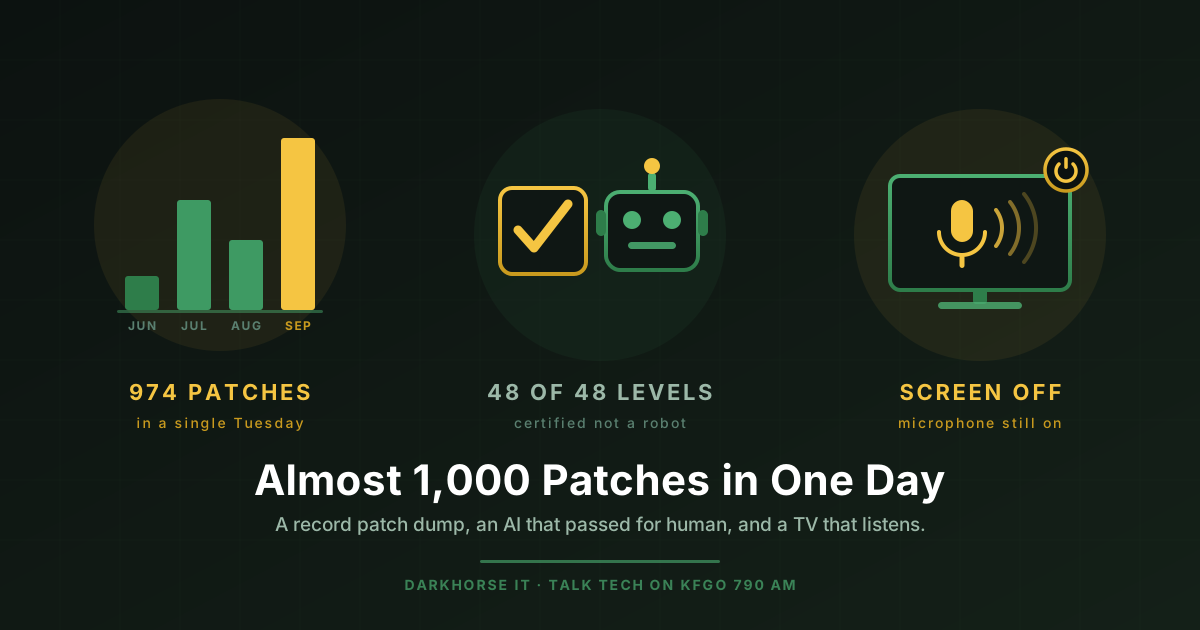
On Tuesday, September 8, Microsoft shipped the largest batch of security fixes in the history of Patch Tuesday. The exact number depends on who is doing the counting: Tenable counts 964, BleepingComputer counts 966, and SecurityWeek and Dark Reading count 974. The gap is just a question of which non-Microsoft components get included. Call it almost a thousand and you are right no matter which tally you use. On top of that, Microsoft had already patched another 204 issues earlier in the month across Azure, Edge, Entra ID and a handful of other cloud services.
Here is the part that puts it in perspective. A normal month used to be 50 to 70 fixes. By last year it was settling around 90 to 100. This year the floor fell out: roughly 198 in June, 569 in July, 398 in August, and now this.
That is not because Windows suddenly got nine times worse. It is because of AI. Vulnerability hunting, which used to be slow expert work, is now something you can point an AI model at and run at scale. Microsoft credited OpenAI’s Codex with reporting one of this month’s flaws outright, and Microsoft engineering vice president Tom Gallagher has said releases this size could become the new normal.
The honest counterweight comes from Tenable’s Satnam Narang, who put it better than I could: AI-assisted vulnerability discovery is “creating larger haystacks, but isn’t finding more needles.” Almost a thousand fixes does not mean a thousand new ways you personally are going to get hacked this month. Most of them are obscure, most require conditions you will never meet, and the number that will actually be used against a small business in Fargo is small.
But “small” is not “zero,” and this month it is not zero:
- CVE-2026-81963, a flaw in the Windows Update Stack, is already being exploited. It lets an attacker who is on your machine with a limited account promote themselves to SYSTEM, which is full control.
- CVE-2026-85880, a memory bug in Windows Advanced Local Procedure Call, is also already being exploited, and does the same thing.
- Trend Micro’s Dustin Childs flagged that 20 of the fixes address bugs that could be considered wormable, meaning code that spreads machine to machine with nobody clicking anything.
- Help Net Security reports that one of them is a DNS flaw being called the spiritual successor to SigRed, the 2020 bug that had every Windows server admin in the country up at midnight.
So the takeaway is not “panic about 974 things.” It is the opposite. You cannot read a thousand advisories and you should not try. Turn automatic updates on, let the machine reboot when it asks instead of clicking “remind me tomorrow” for three weeks, and make sure someone is confirming the updates actually landed on every machine, because a laptop that has been asleep in a bag since July did not get any of this.
One more thing worth saying out loud: if you are still on Windows 10 and you did not enroll in Extended Security Updates, none of these fixes reached you. Free support for Windows 10 ended in October of last year. We wrote about the options back in July in Windows 10 buys more time, and that clock has not stopped since.
An AI just passed the “prove you’re human” test
On September 7, OpenAI engineer Sharif Shameem posted a roughly four-minute video of the company’s brand new model finishing all 48 levels of Neal Agarwal’s browser game I’m Not a Robot. Here is the original post and the video.
If you have not played it, the game starts with the checkbox you have clicked ten thousand times and then keeps escalating. Pick the crosswalks. Then count objects. Then park a car. Then play chess. Then deal with interfaces that change the rules on you mid-puzzle. It is designed to be a joke about how absurd bot detection has become, and it gets genuinely hard for people.
The model is GPT-6 Astra, which OpenAI released on September 3. And it did not solve the puzzles the way you would expect, by being fed pictures and answering questions about them. It ran the browser. It looked at the screen, moved the pointer, clicked, typed, dragged, and adapted as the levels changed. At the end, a computer collected a certificate saying it was a human being.
Now the fair caveats, because a viral video is not a study. That is a game, not a real security product. It is one recorded run, with no published success rate over repeated attempts and no independent reproduction, which means the honest description is “an impressive demonstration” and not “CAPTCHA is finished.” And the bot defenses that actually protect a bank login or a checkout page stopped relying on the visible puzzle years ago. They look at browser integrity, mouse and typing patterns, device fingerprints, request history, and network reputation. The picture of the traffic light was mostly theater even before this.
But that is exactly the point I want to leave you with. The little checkbox was never the wall. It was a speed bump, and this week somebody drove over it on video. So if any part of your thinking has been “a real person must have done this, because a bot could not have gotten through that,” retire it. That includes forms, sign-up flows, ticket queues, review sites, and increasingly voices and faces on video calls. We wrote a whole post on that last part in AI just changed hacking.
The things that still hold up are boring and specific: multi-factor authentication, passkeys, unique passwords, and a human being who verifies unusual requests through a second channel before money moves.
Researchers say your LG TV is listening. LG says no.
This one landed over the weekend and it is the one people are going to ask me about at the counter.
Gamers Nexus, working with Level1Techs and independent security researchers, spent months tearing into retail LG OLED televisions, including the current G5. They ran packet captures and pulled files off the sets, and then published the whole thing on September 6 as a two-and-a-quarter hour video titled “216,000,000 Spy TVs.” The findings are ugly.
According to their investigation, and to The Register’s writeup of it, the TVs captured microphone audio while the set appeared to be off, ran speech-to-text on the device and wrote the results into plain-text log files, held that data locally while the TV had no internet connection, and uploaded it once the connection came back, feeding into LG Ad Solutions, which is LG’s advertising business. Separately, the sets scanned the local network and catalogued devices they had never been paired with: phones, watches, printers, thermostats. They logged nearby Wi-Fi network names, signal strengths and channels. Some of that activity continued after the Ethernet cable was physically pulled. The team also reported remote code execution vulnerabilities in webOS to LG, which are being held quiet while responsible disclosure runs its course. For scale, LG has reported roughly 216 million smart TVs sold worldwide.
LG has pushed back hard. The company told Gizmodo the claims are not true, saying its TVs process voice data “only when the voice button on the remote control is pressed and held, or when a wake word such as ‘Hi LG’ is recognized” after the owner turns on the far-field voice feature, and that listening for the wake word happens locally and is discarded when the wake word is not heard, which is how “Hey Siri” and every other assistant works. LG confirmed the network scanning is real but calls it a standard smart TV function, and says the content recognition that identifies what is on your screen is opt-in. What LG did not address is the plain-text transcripts sitting on the device.
I am not going to tell you which side is right, because that is still being worked out in public and the researchers are sitting on undisclosed vulnerabilities. What I will tell you is that the response is identical either way, and it costs you nothing:
- Turn off ACR. On webOS: Settings, then General, System, Additional Settings, and switch off Live Plus. That is the feature that fingerprints what is on the screen, including from your cable box and game console.
- Turn off the always-listening mode. Look for Always Ready or far-field voice recognition and shut it off. The remote’s voice button still works when you press it.
- Opt out in the agreements. Under Support or Privacy and Terms, decline Viewing Information and Voice Information, and turn on Limit Ad Tracking.
- The real fix: take the TV off your network. Do not give it your Wi-Fi password. Plug in a Roku, an Apple TV, or a Fire Stick over HDMI and let that device be the smart one. You lose nothing you will miss, and the TV’s own software never gets to talk to anything.
- If you do keep it online, put it on the guest network with client isolation turned on, so it cannot see your laptop or your file server. We walked through exactly how to do that in Internet-Connected Everything.
The bigger lesson has not changed since we recorded that one. A smart TV is a computer that you will never patch, that nobody is monitoring, that sits in the room where you have your private conversations, and that makes its manufacturer more money from advertising data than from the sale of the panel. Treat it accordingly.
Security tip of the day: get your passwords out of the browser
Here is the one to act on today.
Your browser will happily save every password you type, and it feels like a password manager. It is not one, and it is the single most reliably looted thing on a compromised computer. There is an entire malware category, called infostealers, whose whole job is to land on a machine, dump the saved logins and session cookies out of Chrome and Edge and Firefox, and ship them off within seconds. Flashpoint’s midyear report counted 1.7 billion credentials harvested from 7.4 million infected devices in just the first six months of this year, with infections up 27 percent over the six months before. That is not a targeted attack on anybody. It is a vacuum, and browser storage is where the hose points first.
The worse version, and I see this more often than you would believe: a file on the desktop called Passwords. Or Passwords.docx. Or Logins.xlsx. Malware does not have to be clever to find that, and it does not have to be malware either, because anybody who ends up with that laptop has your entire life in one double-click.
So:
Put them in an encrypted vault, or keep them off the computer entirely. A real password manager encrypts the vault so that even someone holding the file cannot read it without your master password. Bitwarden is free for personal use, open source, and audited, and it is what we set clients up with. We wrote a step by step guide to getting it running in How to Set Up Bitwarden, and the case for why unique passwords matter more than anything else you will do this year in The One Password Habit. If you would rather write them in a notebook that lives in a locked drawer, honestly, that beats a text file on a machine that is on the internet.
Then make them long. Most sites still set the minimum at eight characters, and eight is not a password anymore, it is a formality. Length is what makes guessing expensive, far more than sprinkling in exclamation points. In March we said 16 or more. I am moving that to 18, because the machines doing the guessing keep getting faster and you are not the one typing them anyway. Your password manager generates it, stores it, and fills it in. The only password you should ever have to remember is the one that opens the vault, and that one should be a long passphrase you have never used anywhere else.
And notice how this ties back to the top of the post. The three companies that AI models accidentally broke into this summer, which we covered two weeks ago, were not beaten by anything exotic. They fell to weak passwords and services left open. Almost a thousand Microsoft patches, a model that can click through a browser like a person, and a television with a microphone all point at the same place: the tools scanning for the easy way in are getting faster and cheaper every month, and the easy way in is still the same one it has always been.
If you want someone to check what is actually on your network, whether your machines are current, or how to get a team off browser-saved passwords without a mutiny, reach out to DarkHorse IT. It is a short conversation and it usually turns up something.
We talk through this kind of thing every week. Join us Thursdays at 7:40 AM on KFGO 790 AM.